How to Block a Phone Number on iPhone
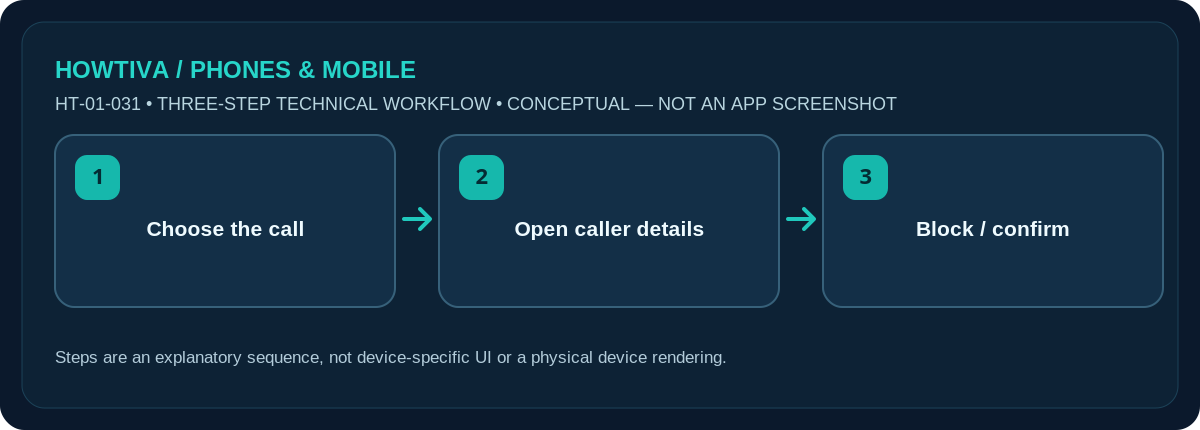
Open Phone, choose a call in Recents/Calls, open the caller’s details and select Block Caller. In iOS 26 and later, you can also go to Settings > Privacy & Security > Blocked Contacts to add or remove a saved contact.
Quick answer: Open Phone, choose a call in Recents/Calls, open the caller’s details and select Block Caller. In iOS 26 and later, you can also go to Settings > Privacy & Security > Blocked Contacts to add or remove a saved contact.
The Phone app may show a unified Calls screen or a classic Recents list; tap the number/contact (or its information button) to reach the caller card. Blocking one number is different from screening every unknown caller.
Block a number from a recent call
- Open Phone and find the incoming number in Calls or Recents. If there is an information (i) button next to the entry, use it; some layouts open the contact card when you tap the entry.
- Confirm you selected the correct number. Similar-looking international numbers are easy to confuse, especially if the area code is truncated.
- Open the caller’s information and scroll to Block Caller (or Block this Caller); confirm the prompt. A contact with multiple numbers may be blocked across all numbers linked to that contact.
- Return to the list. Blocking is not a message to the sender and is not a guarantee that the caller cannot leave voicemail. Apple says blocked callers can still leave voicemail without notifying you.
Block a saved contact or unblock later
On current iOS versions, open Settings > Privacy & Security > Blocked Contacts and choose Add Blocked Contact to select a saved contact. For an existing blocked contact, open its entry and choose Unblock Contact; exact edit controls vary by version. In older versions, blocking lists may instead be nested under Settings > Phone, or Settings > Apps > Phone. Use Settings search for Blocked Contacts if the navigation looks different.
You can also block through Messages by opening a conversation, tapping the sender at the top, and choosing the block action from the contact card. This helps when the unwanted number has not recently called you. Blocking a sender in a third-party messaging app generally requires that app’s own controls; Apple’s system block list does not substitute for a WhatsApp block.
What blocking does—and does not do
Apple’s blocking applies to supported calls and communications through Apple’s Phone, Messages and FaceTime. The blocked person is not sent a notice that you blocked them. They might still leave a voicemail, but you will not be notified. If you are being repeatedly contacted from different numbers, blocking a single number cannot stop every new number or spoofed caller ID. Consider the iPhone’s Screen Unknown Callers options or supported carrier filtering separately, recognising that those can affect legitimate calls.
A blocked number is not automatically reported to law enforcement or to your mobile carrier. Save threatening messages or call evidence first if you need to report harassment. Never reply or share verification codes to test whether a suspicious caller is blocked.
Before you block: decide which number you mean
If a business calls from several switchboard numbers, blocking a single entry may not stop its other lines. Confirm whether it is an unwanted person, a marketing campaign, or a single spoofed call. For an organisation you legitimately need to reach, asking for its official contact preference or opting out through a trusted website may work better than blocking a number that also carries appointment reminders. Do not use a callback number supplied by a suspicious voicemail; find the provider’s contact details independently.
If the caller is known personally, consider preserving conversation details before blocking if the messages might matter in a future dispute. Blocking is reversible, but it does not create a guaranteed archive of messages that arrived while blocked. When protecting yourself from harassment, share evidence only with trusted parties and avoid publishing the person’s number online.
Troubleshooting and alternatives
- No Block Caller action: open the full number/contact details, not just the abbreviated call log row. Search for Blocked Contacts in Settings or try the Messages contact card.
- Caller keeps reaching you: check whether calls come from another number or an app such as WhatsApp. Check your blocked list and the number including the country code.
- You blocked somebody accidentally: go to Settings and remove them from Blocked Contacts; this does not restore messages or calls that were already prevented.
- Unknown numbers but not one specific person: iPhone call screening or silence settings are broader and can divert real callers. Keep the distinctions clear.
- Urgent threats or scams: do not engage. Preserve evidence and contact your carrier or local authorities as appropriate.
Frequently asked questions
Will someone know that I blocked their number?
Apple does not send a block notification. They may infer a change in call or message behaviour, but you cannot determine their experience from your own phone.
Can I block an unsaved number?
Yes. Use the number’s details from the recent call or message rather than saving it first.
Does blocking hide my location or stop social-media messages?
No. Review location-sharing permissions and separately block the account in any other app you use.
Sources & Further Reading
- Apple Support: Block phone numbers, contacts, and emails on your iPhone or iPad (checked 2026-10-27)
- Apple iPhone User Guide: Prevent contacts from communicating with you on iPhone (checked 2026-10-27)
Use the checklists as you go, and confirm the result before moving on to a more involved repair.