How to Set Up Voice Typing on iPhone
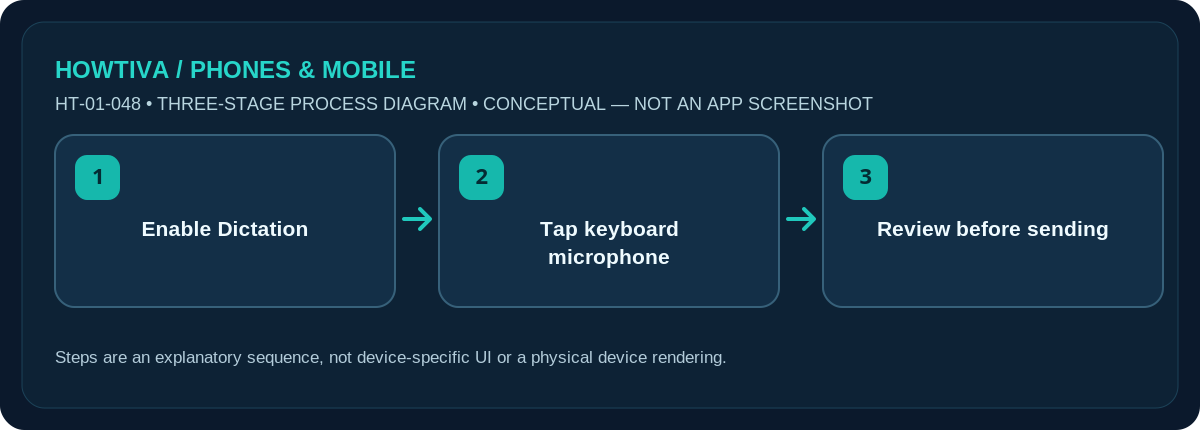
Open Settings > General > Keyboard, switch on Enable Dictation, then tap the microphone/Dictation key in a text field and speak. Review the text before sending it because recognised words and punctuation can be wrong.
Quick answer: Open Settings > General > Keyboard, switch on Enable Dictation, then tap the microphone/Dictation key in a text field and speak. Review the text before sending it because recognised words and punctuation can be wrong.
Apple calls this feature Dictation. It works in many, but not all, languages and countries. iOS 27 has additional language/device-specific features; these should not be assumed available on older models.
Enable Dictation and enter your first sentence
- Open Settings > General > Keyboard. Find Enable Dictation, turn it on and accept the explanatory prompt if your iPhone displays one.
- Open Notes or another app with an editable text field. Tap a blank space to show the keyboard and position the text insertion point.
- Tap the Dictation microphone key. It can appear on the keyboard or near the text field, depending on the available keyboard and iOS version.
- Speak a short sentence at a natural pace. Try saying punctuation such as comma or new paragraph if your selected language supports those commands.
- Tap Dictation again to stop. Inspect spelling, names, dates and numbers, then correct them on the keyboard before copying or sending the text.
Voice typing is not Siri
Dictation inserts recognised speech directly into an editable field. Siri is a separate assistant for requests and actions. You can often continue typing while Dictation is active; the keyboard stays available on compatible iOS versions. This makes it suitable for drafting a text, quick note or search, but it does not automatically fact-check what you say.
Language availability and offline processing
Apple says Dictation is processed on-device in many supported languages without an internet connection, while other language/feature combinations may differ. Search fields can send dictated text to the search provider for processing. Do not promise offline behaviour for every language, every app or every system release. Check Apple’s iOS feature availability if a requested language is missing.
Punctuation, corrections and longer notes
Apple documents voice commands such as new line, new paragraph and spoken punctuation in supported languages. Automatic punctuation may be available through Keyboard settings. Dictation can misunderstand proper names, serial numbers, accented words and specialist terminology. For a sensitive email, proofread each paragraph and use the keyboard to confirm addresses and amounts; do not rely on recognition alone.
Privacy and accessible use
Microphone access, regional availability and processing disclosures depend on the feature and OS. Review About Dictation & Privacy beneath the setting before dictating confidential information. In a shared workspace, voice typing can also expose a message audibly to bystanders. Consider a quiet private location, or type instead when speaking could compromise privacy.
Troubleshooting and alternatives
- Microphone key missing: Verify Enable Dictation and the selected keyboard.
- Dictation hears nothing: Check microphone access and try another editable field.
- Wrong language: Choose a supported keyboard language and check feature availability.
- Punctuation errors: Edit the recognised text manually before sending.
Frequently asked questions
Why is the microphone missing?
Confirm Enable Dictation is on and that a supported keyboard is active. The field must accept editable text; some password or secure fields do not support it.
Can I dictate without Wi-Fi?
In many supported languages Apple processes Dictation on-device, but offline support and feature availability vary. Check the current Apple documentation for your language.
Is voice typing identical to recording audio?
No. Dictation converts speech into editable text; it does not necessarily save an audio recording for you.
Sources & Further Reading
- Apple iPhone User Guide: Dictate text on iPhone (checked 2026-10-27)
- Apple iPhone User Guide: Add or change keyboards on iPhone (checked 2026-10-27)
Use the checklists as you go, and confirm the result before moving on to a more involved repair.