How to Block a Phone Number on Android
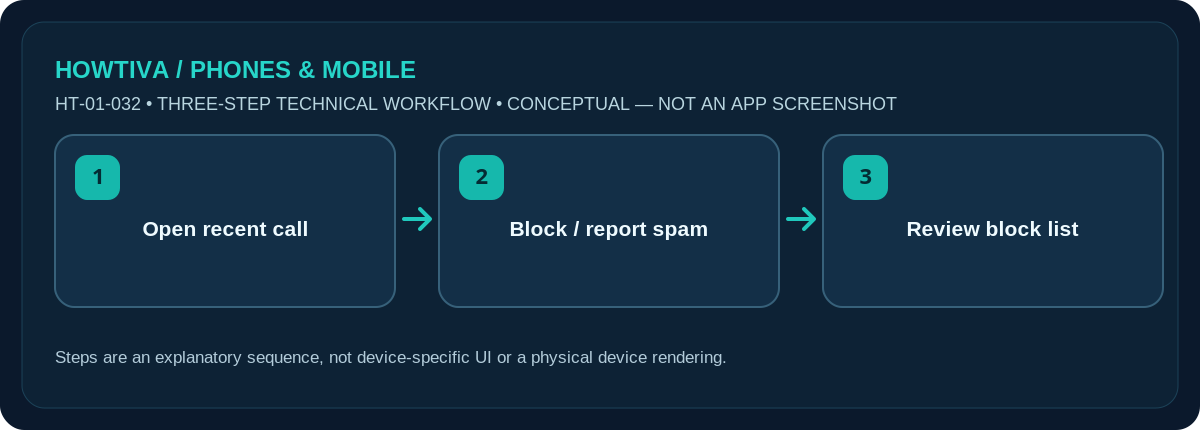
In the Phone by Google app, open a recent call, choose the caller and tap Block / report spam. On Samsung and other phones the wording may be Block number under call details; check your Phone app before following Pixel-specific menus.
Quick answer: In the Phone by Google app, open a recent call, choose the caller and tap Block / report spam. On Samsung and other phones the wording may be Block number under call details; check your Phone app before following Pixel-specific menus.
Google Phone blocking applies to Android 6.0+ for some controls. Manufacturer diallers, carrier tools and separate messaging apps do not share identical block lists.
Block a caller in Phone by Google
- Open Phone and choose Recents or Call history, depending on the layout.
- Tap the unwanted number to open the call details; some layouts require a long-press or an information icon.
- Tap Block / report spam. Read the confirmation: if reporting is optional, decide separately whether you want to report the number as spam.
- Verify the entry is blocked in Phone > More (three dots) > Settings > Blocked numbers where that menu is available.
Samsung Galaxy and other Android versions
Samsung’s Phone app commonly provides a Block number command on the selected call’s detail screen, with a blocked-number list under Phone > Settings > Block numbers. Those labels are not a promise for every Galaxy/One UI release. On other Android brands, search inside their Phone app settings for Blocked numbers. An operator-provided phone app may offer its own call filtering.
Unknown/private numbers are not the same as unsaved numbers. Google Phone’s Unknown switch blocks unidentified or private numbers, but Google says calls from numbers merely absent from your Contacts can still arrive. Do not activate it expecting an all-strangers block.
Remove a block without losing contacts
Open the Phone app’s Blocked numbers list, find the number, and use the remove/unblock control. The exact gesture varies. If a number was accidentally reported as spam, look for a separate Not spam option where offered. Removing a block does not retroactively deliver missed calls and texts. Do not delete the contact just to unblock it; contact storage and blocking are separate concepts.
If the other person still cannot contact you, check any carrier spam service, device-wide filtering, a different dialler, and a block within Messages or WhatsApp. RCS, SMS, and third-party calls need not behave identically.
Decide whether to report as spam as well as block
A number can be unwanted without being a scam. Blocking a persistent sales caller is different from reporting a call that impersonates a bank or demands a one-time code. Google Phone combines these actions in some versions; read the confirmation before accepting an optional spam report. For obvious fraud, do not return the call or send personal details, even if the displayed caller ID looks like an official institution.
Example: delivery driver versus persistent robocaller
If a delivery driver uses an unfamiliar number for a one-time appointment, blocking it can make delivery harder. If an automated caller rings repeatedly, blocking that exact number is a reasonable local step, but scammers can rotate numbers. A wider spam-detection tool is more appropriate for repeated nuisance calls. Those tools may misidentify a legitimate clinic, school or employer; review missed-call lists rather than treating filters as infallible.
Keep separate track of blocks in Phone, SMS and messaging apps. Unblocking one dialler may not change a block set within another app or by your mobile operator.
Troubleshooting and alternatives
- Block option missing: update your Phone app if appropriate; try its call details and Settings, or follow the device maker’s guide.
- Calls still appear: verify the exact number and country code. Scammers can spoof or rotate caller IDs.
- Blocked number still texts through another app: block in that app separately. Do not assume cellular call blocking applies to internet chat.
- Worried about a fraudster: do not call them back; use the carrier’s official reporting channel and check Google Phone’s optional caller ID/spam controls.
- Need one-time silence: use Do Not Disturb instead; it changes alert behaviour, not the block list.
Frequently asked questions
Does Google Phone block everyone who is not in Contacts?
No. Its Unknown option is specifically for unidentified/private numbers; it is not a comprehensive unsaved-caller filter.
Can I tell whether a number was blocked previously?
Look in the dialler’s blocked-number list. Call-history handling varies, and absence of a call is not proof it never happened.
Should I report every blocked number as spam?
No. Reporting is appropriate for suspected spam, whereas blocking can also be a personal preference. Review the app’s prompt.
Sources & Further Reading
- Phone by Google Help: Block or unblock a phone number (checked 2026-10-27)
- Samsung Support: How to use the Samsung Phone app on your Galaxy phone (checked 2026-10-27)
Use the checklists as you go, and confirm the result before moving on to a more involved repair.