How to Turn On Live Captions on Android
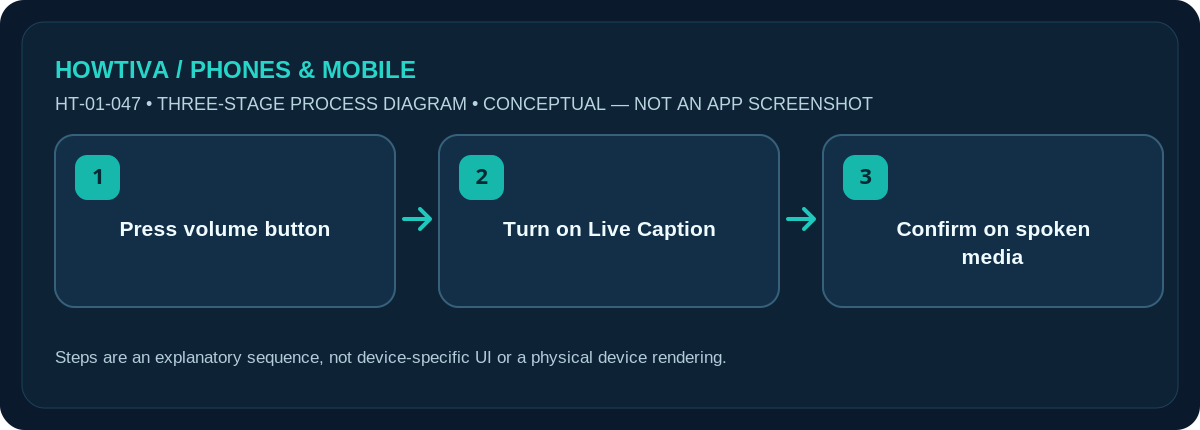
On a supported Android phone, press a volume button, expand the volume panel if necessary, then select Live Caption.
Quick answer: On a supported Android phone, press a volume button, expand the volume panel if necessary, then select Live Caption. If that control is absent, search Settings for Live Caption. The first activation may require a Wi-Fi connection to download a language pack.
Live Caption is not universal across Android phones, languages or call types. Google documents supported Pixel generations and selected other devices; a phone maker may omit the feature entirely.
Enable captions for speech playing on the device
- Play a spoken video or audio clip on your phone so you can see the caption result. Choose material you are allowed to listen to; avoid confidential calls for your initial test.
- Press either volume button. Expand the volume panel’s extra controls if available. Locate the Live Caption icon; it may look like a captioned rectangle.
- Tap Live Caption to enable it. If asked to download a supported language pack, connect to a trusted Wi-Fi network and allow the download to complete.
- Return to the media and look for a movable caption box when speech is detected. Captions may take a moment to appear, and their accuracy varies with noise and speaker clarity.
- Switch it off with the same control when you finish, especially in environments where on-screen speech could expose private conversations to people nearby.
What it can and cannot caption
Live Caption automatically transcribes some speech playing through your device, including many videos, podcasts and compatible calls. It is not a professional transcription guarantee, and some apps or call types may be restricted. Captions can contain wrong names, numbers, dates or medical instructions; never use an automatic caption alone for an urgent safety decision.
Supported languages and downloads
Google lists different language sets depending on Pixel generation and selected Android models. Pixel 2/3 coverage is narrower than newer supported Pixels; Android version also matters. If your preferred language does not appear, it may be unsupported on that phone even though another Android device offers it. On first use, Google says a Wi-Fi connection is required to download the default language pack.
Caption style and calls
Android also has separate Caption preferences under Accessibility for displaying subtitles supplied by some media apps. That is distinct from Live Caption’s automatic speech recognition. Live Caption settings may allow language, profanity and call caption controls; names vary with software. If you are captioning a call, make sure the other person understands any relevant privacy or consent expectations in your region.
Accessibility and privacy
Automatic caption text can be visible in a public setting; keep the phone screen away from onlookers when confidential content is playing. Some caption features process speech on-device, but privacy details and optional network or translation features can vary. Read the device’s privacy descriptions rather than assuming the same processing design on every manufacturer build.
Troubleshooting and alternatives
- Live Caption unavailable: Check support for your exact device, Android release and language.
- First use fails: Download the required language pack on trusted Wi-Fi.
- Captions inaccurate: Reduce background noise and verify important facts manually.
- Subtitle preferences ineffective: App captions and Live Caption are different tools.
Frequently asked questions
Why is there no Live Caption button?
Your phone, Android version or region may not support it. Search Accessibility settings and consult the manufacturer’s supported-feature list.
Is Live Caption the same as subtitles on YouTube?
No. Live Caption can automatically recognise device speech; app subtitles can be supplied separately by the video service.
Why are some words wrong?
Speech recognition is imperfect, especially with noise, accents, multiple speakers and proper names. Check important details independently.
Sources & Further Reading
- Android Accessibility Help: Live Caption: Caption media & calls on your device (checked 2026-10-27)
- Android Accessibility Help: Caption preferences: Change caption formatting (checked 2026-10-27)
Use the checklists as you go, and confirm the result before moving on to a more involved repair.