How to Change Your Default Browser on iPhone
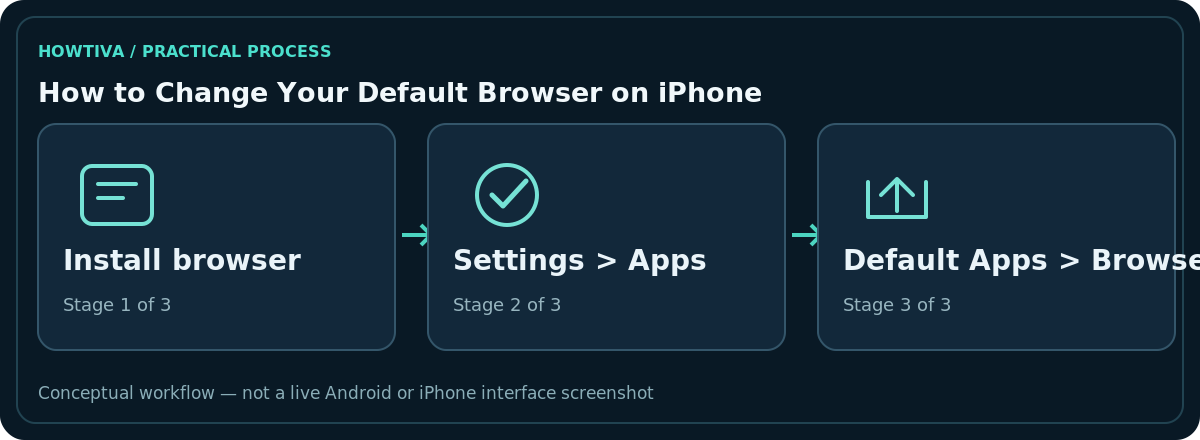
Install the browser you want, then open Settings > Apps > Default Apps > Browser App and select it. This controls the browser iOS uses for supported web links.
Quick answer: Install the browser you want, then open Settings > Apps > Default Apps > Browser App and select it. This controls the browser iOS uses for supported web links. It does not remove Safari, transfer Safari bookmarks or force every app’s embedded web view to use your new browser.
Apple’s current Default Apps settings are available on up-to-date supported iOS versions. Exact options depend on iOS release, region and whether the installed browser implements the default-browser capability.
Choose a browser as the default
- Download a trusted browser compatible with your iPhone and open it once if it asks for first-run permissions or setup.
- Open the Settings app, then Apps.
- Select Default Apps at the top of the apps list.
- Tap Browser App and choose your preferred browser from the offered options.
- Leave Settings and tap a regular web link in another app to see which browser handles it.
Only apps recognised by iOS as eligible should appear. If your desired browser is missing, verify installation and software updates before looking for hidden system controls. You do not need to jailbreak your phone or install a configuration profile.
What changes—and what stays the same
The new default is the normal destination for web links that ask the operating system to open a browser. Safari remains on the device unless you take separate supported actions. Existing bookmarks, passwords, downloads and tabs stay wherever their apps store them. If you want the new browser to have those items, use its documented import or sync feature independently.
Some messaging, email and social apps open web pages inside their own built-in views. Such in-app browsers may not honor the same default in every case. Look for Open in Browser or the application’s own link settings when needed rather than assuming the iOS default failed.
If Browser App does not appear
Apple recommends using a recent iOS version for its Default Apps panel. Check Settings > General > Software Update, then confirm your desired browser supports the feature. App availability can vary by country, organisation policy and device restrictions. If you only see Safari, first open and update the alternative browser.
On older iOS interfaces, certain compatible browsers previously exposed a Default Browser App setting from that app’s individual Settings entry. Where that path exists, it can offer the same selection. Prefer the currently documented Settings > Apps > Default Apps route for modern iOS.
Make a safe choice for privacy and convenience
Read the browser’s privacy documentation. Choosing an app as default does not automatically import saved passwords from iCloud Keychain, disable private browsing, or change your search engine in other apps. Review tracking protection, account sync and whether you trust your browsing history to the new provider.
If a work or school device restricts browser selection, follow the administrator’s policy. Installing third-party ‘profiles’ to bypass a restriction can create security problems and is not a reasonable troubleshooting step.
Troubleshooting a link that opens in Safari
First test a link in a simple app such as Mail rather than one that has its own embedded browser. Recheck Browser App to confirm the choice remained selected. Update both the browser and iOS if possible. If Safari opens only for a particular authentication or system workflow, the link may use an Apple-managed or app-managed view; document the specific app and consult its support rather than resetting the entire phone.
Check account sync before moving browser data
A browser switch is best treated as two independent tasks: first choose the iPhone’s default Browser App, then separately migrate anything you want inside that browser. Bookmark import, password-manager setup, automatic form filling and tab sync may have different instructions. Turning on the browser’s own account sync can copy its content to the provider’s cloud service; read those privacy terms before enabling it.
If you use passkeys, workplace single sign-on or a third-party password manager, confirm they still work in the replacement browser. Apple may manage passwords and passkeys through settings independent of the default browser. Do not erase Safari history or uninstall an old app while still depending on its saved credentials.
Try a realistic link test
Use an ordinary web URL from a plain text note or email; then try a link inside a social network or messaging app. If the first opens in the chosen browser but the second stays in the application’s own panel, your default is likely working. Compare the behaviour against the application’s documented ‘Open externally’ action rather than repeatedly changing iOS settings. A single link is not enough to diagnose every internal browser interaction.
Frequently asked questions
Does changing the default delete Safari?
No. It changes link handling for supported requests, not the installed browser’s data.
Are my Safari bookmarks moved automatically?
No. Use a browser-specific migration or sync method, and verify the result before deleting originals.
Why does an app still show an internal web page?
Many apps deliberately display a built-in web view. Default-browser settings do not control every internal browser.
How do I switch back?
Return to Settings > Apps > Default Apps > Browser App and select Safari or another eligible browser.
Sources & Further Reading
- Change the default apps on iPhone — Apple iPhone User Guide; checked 2026-10-27.
- Change your default apps for features on iPhone and iPad — Apple Support; checked 2026-10-27.
Use the checklists as you go, and confirm the result before moving on to a more involved repair.