How to Change Default Apps on Android
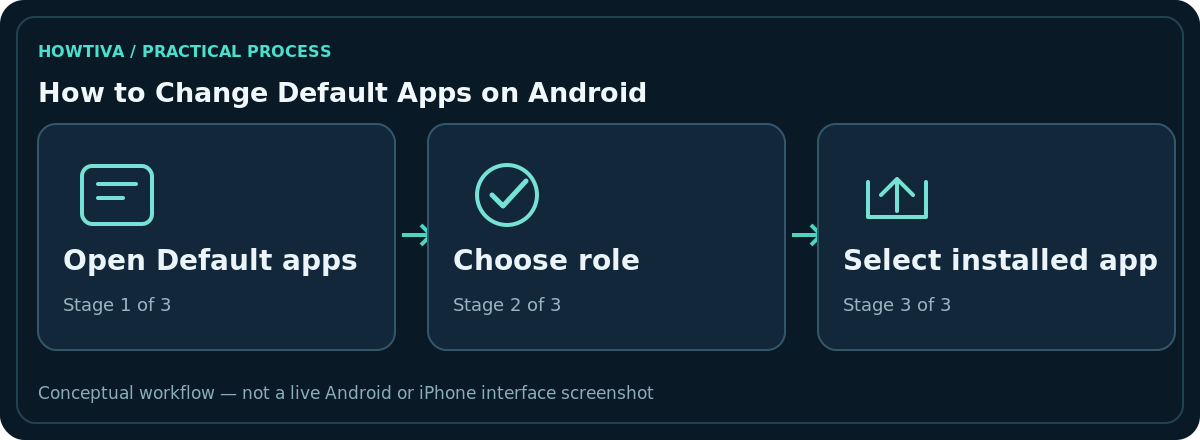
Open Settings > Apps > Default apps (sometimes Choose default apps), choose a role such as Browser app, Phone app or SMS app, and select an installed compatible app.
Quick answer: Open Settings > Apps > Default apps (sometimes Choose default apps), choose a role such as Browser app, Phone app or SMS app, and select an installed compatible app. The setting determines which app Android prefers for that type of action; it does not uninstall the old app or transfer your old messages automatically.
Android offers different roles depending on the phone, installed apps, manufacturer and software release. This article uses Android’s built-in settings rather than assuming every brand has the same menus.
Change your default browser
- Install the browser you intend to use from a trusted app source, and open it once if its setup requires it.
- Go to Settings > Apps > Default apps or Choose default apps.
- Tap Browser app to see eligible browsers.
- Choose the browser you prefer and return to Settings. You can test by tapping a normal web link in another application.
The default usually handles links handed to Android by other apps. Some applications deliberately open an internal browser or ask you to choose each time, so a link opening elsewhere does not always mean the default did not save.
Set the Phone, SMS or assistant app
In the same Default apps screen, look for a Phone app or SMS app entry. Only compatible apps that Android recognises for that role may appear. Changing the SMS default can change where incoming SMS messages are handled and which app sends them. It does not promise that every old conversation or RCS setting will move intact. Before switching messaging software, check backup and transfer support in both apps.
A Digital assistant app role may also be present. Google’s official instructions show Settings > Apps > Default apps > Digital assistant app (the precise words vary). Selecting an assistant changes a device role, but its availability and features depend on language, region and account eligibility.
Understand what ‘default’ means
Android chooses handlers for supported intents such as opening web pages, making calls or working with SMS. A preferred application is not always a system-wide monopoly: browsers can open their own tabs, links can remain inside individual apps and company-managed phones may enforce certain defaults. One brand may list Opening links separately from Browser app.
If a website asks to open a specific app and you once selected Always, Android may remember that app-specific choice. Inspect the application’s Open by default or supported-links settings if changing the browser did not affect that case. Do not reset all apps just to solve a single link problem.
Fix a missing or unselectable app
Not listed: The application may not support the desired Android role, may be disabled, or may need an update. Confirm it is installed and compatible. Option greyed out: Check work profile or device management restrictions. Link still opens in old app: Look for internal-browser settings or app-specific link associations. Choice keeps reverting: Check whether another app is asking to become default, or whether your phone’s software was recently updated.
If a role is absent entirely, search Settings for default, apps, or the role name. Samsung may say Choose default apps while Pixel may say Default apps. Rely on the device’s actual menu text rather than installing a ‘default app manager’ utility.
Privacy, permissions and practical checks
A default Phone, browser or SMS app may receive sensitive contacts, links, messages or call details as part of its work. Review the app’s publisher and permissions before selecting it. A reputable installation source and visible privacy policy matter more than a flashy feature description.
After changing a default, test one normal action and one exception. For SMS, confirm you can receive and send an ordinary message. For a browser, try a link in another app. For an assistant, check that launch gestures and voice activation match the device’s capabilities. If the change causes trouble, return to the same role picker and restore the previous app.
Switching message handlers deserves extra care
Android’s SMS-app role controls which eligible application handles text messages at the system level. It may also affect notifications, rich messaging availability and permission prompts. Before making a switch, check whether your current app has an export or backup process and whether the proposed replacement supports your preferred features. An app that advertises messaging does not necessarily qualify as an Android system SMS handler.
After changing it, send yourself a harmless test message if you have access to a second phone or ask someone you trust. Confirm the outgoing and incoming messages in the intended app. If verification codes stop appearing, switch back to your former default and inspect the replacement’s permissions instead of factory-resetting the phone.
Default apps and opening supported links
The Browser role and supported-link associations are related but separate. A marketplace link may open in its associated shopping app even with another default browser set. If you want that kind of link in the browser, look at the specific app’s ‘Open by default’ or ‘Open supported links’ settings. A device managed by an employer may prevent changing these associations. Do not override enterprise security controls to make a single link behave differently.
Frequently asked questions
Why do I see only one eligible app?
Android lists compatible installed handlers; another app may be unavailable or not support that system role.
Will my old text messages be deleted?
Changing the default SMS role should not be treated as a deletion command, but conversation display and transfer depend on the apps involved. Verify backup before switching.
Can two browsers be default at the same time?
The Browser app role typically selects one preferred handler, while individual apps can still open links internally.
How do I undo the change?
Return to Settings > Apps > Default apps, reopen the role and choose your former app.
Sources & Further Reading
- Learn how to change your default browser — Android Help; checked 2026-10-27.
- Send messages with the Gemini mobile app on Android — Android Help; checked 2026-10-27.
- Get started with the Gemini mobile app — Android Help; checked 2026-10-27.
Use the checklists as you go, and confirm the result before moving on to a more involved repair.