How to Check Whether Your Email Appeared in a Data Breach
Use a reputable breach checker for your email address, then secure any reused passwords and enable MFA.
Quick answer: Type haveibeenpwned.com directly into your browser, enter your own email address, and review any breaches the service reports. If you find a match, identify the affected service, change any still-used or reused passwords on the legitimate websites, enable multi-factor authentication and watch for suspicious messages. A “no breach found” result is not proof that your address is safe everywhere.
A breach checker searches records that have been collected from known incidents. It does not log into your mailbox and cannot prove every service you have used is secure. This guide uses Have I Been Pwned (HIBP), an independent public breach-notification service; you may also check your password manager’s built-in breach warnings or a provider’s own notices.
Search your email for known breaches
- Open a new browser tab, type https://haveibeenpwned.com/ into the address bar yourself, and confirm you reached that domain. Avoid “security check” links from alarming emails.
- Enter only an email address you own or are authorized to check in the site’s email search. Never type a password, verification code, recovery code or financial account number into an email-breach search.
- Review the result and the list of affected services, if any. Read the breach date and the kinds of exposed data rather than assuming that a hit means someone currently controls your email account.
- If the address appears in a breach, visit each legitimate affected service separately using a saved bookmark or an independently located official website. Change passwords that remain in use, and replace the same password anywhere else it was reused.
- Protect the most important accounts first: your email inbox, password manager, banking services and any site used to reset other passwords. Enable multi-factor authentication or passkeys where offered.
- If you want future notices, use HIBP’s Notify Me feature and complete the verification steps it requires. Read its privacy information before opting in.
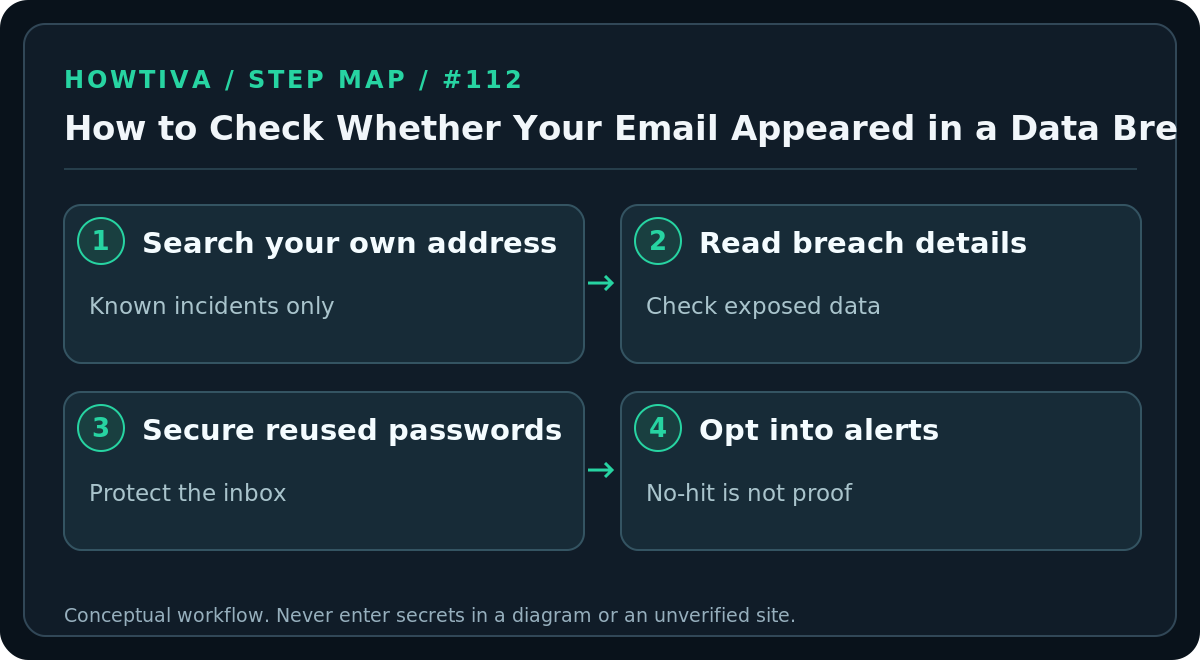
HIBP reports incidents that were added to its database. It explicitly states that its collection is incomplete: an unlisted breach may be undiscovered, private, not yet imported or excluded from public display. Certain sensitive breaches require the owner to verify the email address and sign in to view them. This protects privacy and explains why a public result might differ from a verified account view.
Understand what the result actually means
A breach match: Your email address was found in records associated with a reported incident. It does not by itself establish that your current password was leaked, that your email inbox was broken into, or that fraud has occurred. Read the individual incident’s exposed-data description and announcements from the affected service.
No match: The checker has no relevant record to show for that search; it cannot certify that your address never leaked. Keep using unique passwords and MFA.
A service you do not remember: A data set may include addresses obtained from partners, sites that changed names or accounts created without your knowledge. Investigate from the provider’s official page, not from links in an unsolicited “breach recovery” message.
An old breach still showing after password change: Historical exposure does not disappear when you update a password. HIBP keeps a record of incidents; the listing is not necessarily evidence of continued unauthorized access.
What to do when password reuse was involved
A criminal may try credentials from one breached service on another site—a technique known as credential stuffing. For any password that was reused, create a unique replacement for each affected account. A password manager is safer than inventing predictable variants. If the exposed service supported passkeys, consider migrating after confirming recovery access.
Review the email inbox’s forwarding rules, unfamiliar signed-in devices and security alerts if you have indications that the inbox itself was accessed. Remove unknown sessions from the account’s official settings. If a breach notice reports payment data or identity information, consult the appropriate bank, card issuer or identity-protection authority; the appropriate steps depend on what data actually leaked and your jurisdiction.
Alternatives if you do not want to use an outside checker
Some browsers and password managers identify exposed or reused saved passwords; those tools assess the credentials they can inspect and may not tell you every breach associated with your email address. Providers may also send their own verified incident disclosures. Search their official status, help or security sites without following unsolicited links. There is no reliable service that can guarantee full visibility of all breaches worldwide.
Troubleshooting
- No verification email arrives: Check spam and any mail filters, make sure you typed the address correctly and verify from HIBP’s directly opened website—not a lookalike domain.
- There is a breach listed for someone else’s account: Do not try to access it. If the listed address is genuinely yours, review HIBP’s FAQ on unfamiliar services and protect your email.
- You see an alarming ad or a prompt to buy software: Paid products are not a prerequisite for the free basic email search; distinguish advertisements from the result itself.
- You recently changed your password: Good—your result may remain because it is a historical record. Check for password reuse and suspicious activity instead of repeatedly resetting an already secure account.
- The email is an alias: Search the specific alias actually used for the service; different address forms may produce different records.
FAQ
Will the checker display my leaked password? HIBP says it does not present exposed passwords tied to identified users. Never supply a password to a website merely to “confirm” an email breach.
Does a breach result mean I must close the email account? Usually no. Prioritize unique credentials, MFA and monitoring; act on concrete evidence of takeover rather than the existence of a historical record alone.
Can I check other people’s addresses? Respect privacy and use authorized searches only. Sensitive breach visibility is specifically restricted to verified owners.
Sources & Further Reading
- HIBP email breach search — single email search and Notify Me offer.
- HIBP FAQ — incomplete coverage, sensitive breaches, history after password change and alias caveats.
- FTC phishing response — protect compromised accounts and avoid credential phishing.
Use the checklists as you go, and confirm the result before moving on to a more involved repair.