How to Find the Best Place for Your Wi-Fi Router
Find a safe, central and elevated router location, compare coverage room by room and position mesh nodes correctly.
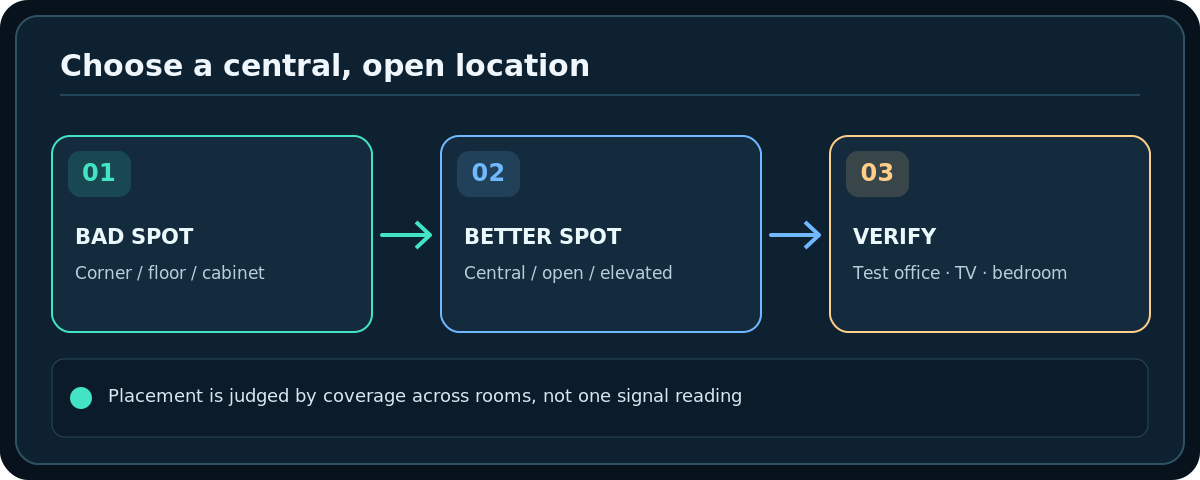
Quick answer: Put your Wi-Fi router above floor level, out in the open and as centrally as the cabling allows, rather than behind a TV, inside a cabinet or at a remote corner of the house. Test the rooms you use most before settling on a position. If the router must stay beside the modem, a properly placed wired access point or mesh system may be more practical than stretching power and internet cables unsafely.
Router placement is not an exact science: floor plans, metal, water, building material, furnishings and device use all matter. Google’s official Nest/Google Wifi guidance recommends an open, elevated location, often around eye level. Different homes need different compromises.
Choose three practical candidate spots
- Start by locating the modem/ONT, router WAN cable and a safe power outlet. Do not unplug provider equipment, cut fiber or move an optical terminal without instructions.
- Sketch the rooms where you need reliable connections: the home office, streaming TV, bedrooms and smart devices. Give more weight to rooms where stable service is essential.
- Find a reasonably central, ventilated shelf in the open. Keep antennas and vents unobstructed; follow the router’s documented orientation and clearance instructions.
- Avoid enclosing the router in metal cabinets, behind appliances or dense furniture. Keep it away from high-interference equipment when feasible, without creating a tripping or electrical hazard.
- If you can safely reach more than one location with proper power and Ethernet cabling, list two or three possible spots and compare them objectively.
Test the spot in the rooms that matter
- Leave the internet plan, devices and router settings unchanged while testing candidate positions. Otherwise you cannot confidently attribute differences to placement.
- Use the same laptop or phone to check speed and connection stability in each important room. Record time, room and whether the device joined 2.4 or 5 GHz.
- Try an ordinary real-world task in the hardest room: a call, a video stream, or a file transfer to your authorized home system.
- Move the router to the next safe candidate spot, allow Wi-Fi to settle, and repeat. Small position changes can matter due to reflected signals and obstacles.
- Prefer the position with the best overall reliability, not necessarily the strongest signal in the room closest to the router.
Account for building layout and everyday obstacles
Walls and floors: Concrete, brick, metallic insulation and several intervening walls can weaken service; multi-floor homes often need a central stairwell-side or otherwise open location. Do not drill into walls without checking utilities.
TVs, metal and appliances: An enclosed entertainment console is convenient for cables but often poor for wireless propagation. A router should not be hidden behind a large metal-backed display if another safe location is available.
Water and household traffic: Large aquariums and some appliances can affect RF paths. Keep equipment clear of spills, heat and ventilation obstructions. Do not place a router on top of hot equipment.
Cable length: A longer, appropriate Ethernet cable from modem/ONT to router can provide placement flexibility. Use suitable rated cabling and electrical practices; never improvise extension wiring through doorways or across the floor.
How to place additional mesh points
- Put the primary router where it can reach the modem and provide useful central coverage.
- Place the next mesh node partway toward the weak rooms, but still where it has a strong connection to the router or previous node. Google recommends close, open placement rather than putting a point in the worst possible dead zone.
- Run the mesh test supported by your system. If a node scores poorly, move it closer upstream before moving it farther away.
- Repeat for extra floors or wings. Some mesh product families are not interoperable; check compatibility rather than mixing generations on assumptions.
- Where possible, evaluate Ethernet backhaul as a more reliable option for distant nodes.
Troubleshooting
My modem is fixed at the far end of the property
Keep provider equipment where installed. Consider a professionally routed Ethernet run to a better router position or an appropriately located wired access point. Avoid pulling fiber or coax beyond its permitted bend or termination requirements.
Moving the router improves one room but hurts another
That is a genuine trade-off. Use a central compromise or additional access point rather than endlessly chasing the farthest corner.
Router LEDs are bright in the bedroom
Use the manufacturer’s LED controls if available. Hiding the router in a closed cabinet to mask LEDs can worsen heat and radio performance.
I want to place it outdoors
Do not expose indoor-only equipment to rain or heat. Use weather-rated networking equipment and professionally appropriate installation if you need outdoor coverage.
Frequently asked questions
Is the highest shelf always best?
No. Elevated, open positions are often helpful, but antenna pattern, coverage target and cable routes matter. Test rather than assuming height alone solves everything.
Should antennas point straight up?
Follow the particular router maker’s guidance; antenna designs and client orientation differ. Some routers have only internal antennas.
Does location affect the speed of an Ethernet connection?
Not in the same radio-coverage sense; Ethernet performance instead depends on cable quality, link negotiation and connected hardware. Location primarily affects wireless reach and interference.
Sources & Further Reading
- Google — Where to place your Wifi devices (accessed 2026-10-27)
- Microsoft — Wi-Fi and your home layout (accessed 2026-10-27)
Use the checklists as you go, and confirm the result before moving on to a more involved repair.