How to Fix a Phone That Keeps Disconnecting from Wi-Fi
Watch whether the phone actually drops its Wi-Fi network or simply loses internet access. Move within good router range, restart the phone/router, compare another device and try one known network before changing phone or router settings.
Quick answer: Watch whether the phone actually drops its Wi-Fi network or simply loses internet access. Move within good router range, restart the phone/router, compare another device and try one known network before changing phone or router settings.
The guide applies to recent iPhones and Android devices; Wi-Fi roaming, auto-switch to mobile data, private addresses, battery policies and network selection differ by model and software. Do not turn off privacy protections as a routine first fix.
Find what is dropping and narrow the cause
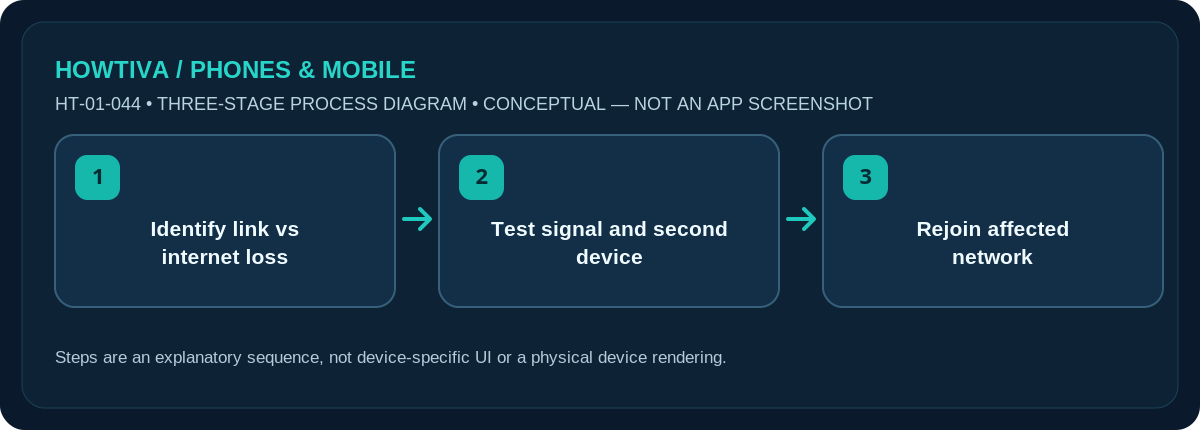
- Observe the status indicator. When service fails, open Wi-Fi settings immediately. Has the network name disappeared, does the phone say Connected without internet, or has it switched to cellular data? Note the difference.
- Move close to the access point. Test from the same room for several minutes, away from walls or interference. Compare with another device on the same Wi-Fi.
- Restart both ends safely. Restart your phone. If you own the router, power-cycle according to its manual; wait for the connection to recover. Avoid pressing a small Reset pinhole.
- Test another trusted wireless network. If the disconnect happens only at home, investigate home Wi-Fi coverage, router software and ISP status. If it happens on multiple unrelated networks, examine phone settings and updates.
- Forget and rejoin only the affected network. Save the password first. Remove that saved network from the phone, then connect again and watch whether the issue returns.
When Wi-Fi drops in one room
Weak coverage, walls and interference are common explanations, especially if moving closer reliably helps. In a larger property, mesh or multiple access points can introduce handoff behaviour. Prefer the router maker’s recommended placement, firmware and roaming guidance; changing channel width or transmit power without evidence can destabilise other devices. If you manage the router, record its settings before making any changes.
When the symbol stays but apps stop working
The phone may remain associated with the router while the router loses internet or DNS service. Test another device and the router’s connection status; restarting every app is not a substitute for finding an upstream outage. Hotel and workplace networks may periodically require you to renew portal access. A work VPN may interrupt access while reconnecting; involve IT before turning off security controls.
Automatic switching and device-specific settings
Some phones switch to cellular data if Wi-Fi seems poor. This can look like a disconnect, and it may consume mobile data. On current iOS releases, examine Wi-Fi and Cellular settings, including any Connectivity Assist or Wi-Fi Assist option shown on your build. On Android, device makers may label comparable features Switch to mobile data, Adaptive connectivity or something else; they are not universal Android menus. Review data usage and your preferences before disabling a feature.
Last-resort network repair
Install manufacturer-recommended OS and router updates on a stable connection. If the same phone fails on several networks, follow its manufacturer’s diagnostic guidance. A network-settings reset can erase saved connection details and managed VPN configurations. Make a record of necessary credentials and avoid this action on a corporate device without permission. Do not factory-reset the entire phone to solve an unconfirmed Wi-Fi issue.
Troubleshooting and alternatives
- Disconnects in one room: Test close to the access point; review wireless coverage and roaming.
- Only internet stops: Inspect router upstream access and DNS; the Wi-Fi link may still be connected.
- Switching to cellular: Check any model-specific auto-switch option and data usage.
- After OS updates: Apply approved patches and test another network before resetting preferences.
Frequently asked questions
Why does Wi-Fi disappear when I walk upstairs?
Coverage and roaming are plausible causes. Test within direct router range; compare a second device and consider the router’s coverage plan.
Does a full signal icon guarantee internet?
No. Wi-Fi signal strength indicates the local wireless link, not whether the router has working internet service.
Could my phone be using mobile data without me noticing?
Yes on devices configured to switch automatically. Inspect mobile data usage and the actual active connection when the problem occurs.
Sources & Further Reading
- Apple Support: If you can’t connect to Wi-Fi on your iPhone or iPad (checked 2026-10-27)
- Android Help: Fix internet connection problems on Android devices (checked 2026-10-27)
- Android Help: Manage advanced network settings on your Android phone (checked 2026-10-27)
Use the checklists as you go, and confirm the result before moving on to a more involved repair.