How to Recover a File from the Windows Recycle Bin
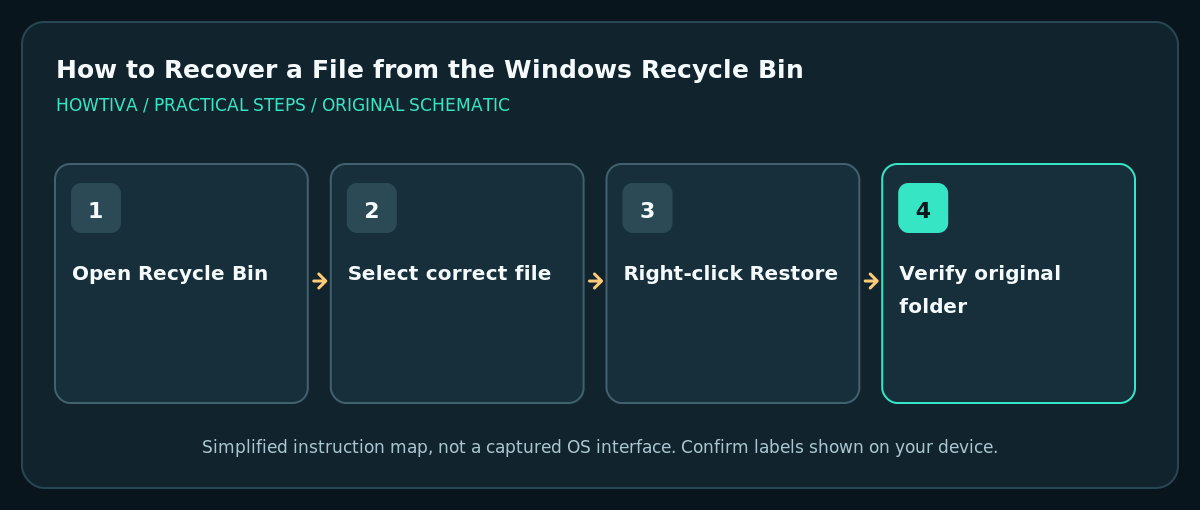
Open Recycle Bin on the Windows desktop, select the file you deleted, right-click it and choose Restore. Windows normally returns it to its original folder.
Quick answer: Open Recycle Bin on the Windows desktop, select the file you deleted, right-click it and choose Restore. Windows normally returns it to its original folder. If it is not in Recycle Bin, check OneDrive’s online recycle bin or an independent file backup before trying advanced recovery.
Deleting a local file in Windows often moves it to Recycle Bin so you can undo an accident. But not every deletion goes through Recycle Bin: a file removed from a network share, external drive, certain apps or a cloud-only storage location may follow a different recovery path. Restoring is easiest if you act before the bin is emptied and before other data is written to the disk.
Restore a file from Recycle Bin
- Stop editing or renaming other files if an important document has just disappeared.
- Double-click Recycle Bin on the desktop. If the icon is missing, see the instructions below to enable it.
- Use the file list and available column headings to locate the item by its name, original location or deletion date. For common files, checking the exact original folder name helps distinguish similarly named documents.
- Select only the desired file or folder; right-click and choose Restore. Windows normally returns it to the location from which it was deleted.
- Open File Explorer and navigate to that original location. Confirm the restored file opens and contains the expected material before deleting other copies.
- If the original location no longer exists or is disconnected, read the error and inspect the drive carefully before trying a different recovery method. Avoid repeated blind restore attempts.
If Recycle Bin is missing from the desktop
- Right-click an empty area of the desktop and choose View. Make sure Show desktop icons is enabled.
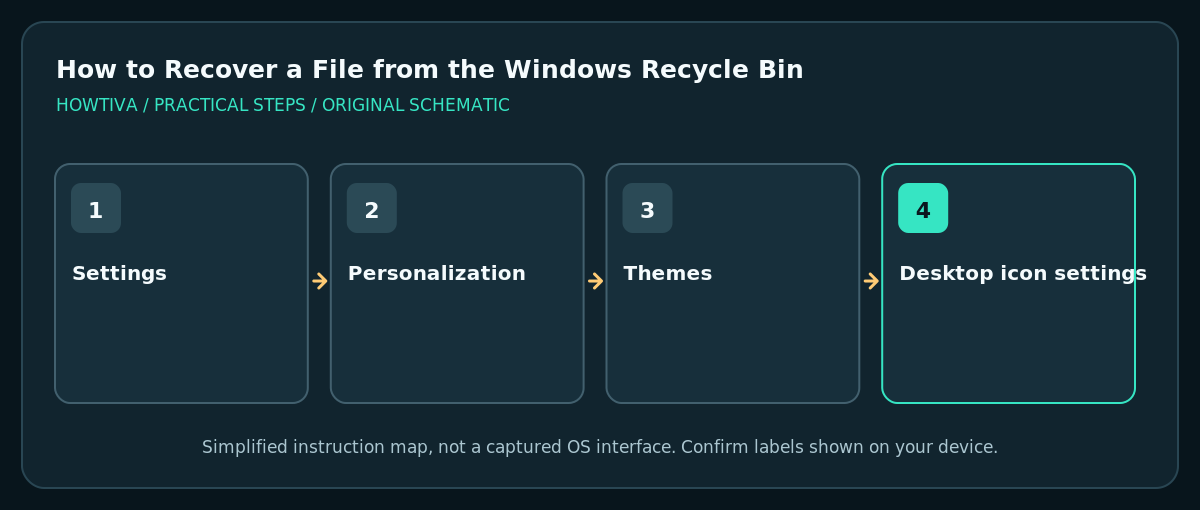
- If other icons appear but Recycle Bin does not, go to Settings > Personalization > Themes > Desktop icon settings.
- Check Recycle Bin and confirm with OK, then return to the desktop.
Try OneDrive if the document was synchronized
If the file lived in your OneDrive folder or was cloud-only, a deletion may be handled by the web recycle bin. Sign into onedrive.com using the correct account, open Recycle bin, select the file and choose Restore. Personal-account retention is typically 30 days and work/school retention may differ according to account policy. Cloud-only items may never appear in the PC’s Recycle Bin. Do not assume every deleted file is recoverable from OneDrive.
Recycle Bin versus permanently deleted files
Files deleted using Shift+Delete, emptied from Recycle Bin or removed from some removable drives may not be visible in the ordinary bin. Check File History, other backups and your cloud provider’s version history first. Microsoft’s Windows File Recovery can attempt recovery from some local storage devices, but results are not guaranteed. For critical lost files, reduce use of the affected drive immediately: new writes can overwrite recoverable data.
Troubleshooting
Restore returns an error
Check whether you still have access to the original location and whether a file with the same name already exists. Do not overwrite an existing good copy without comparing them. On an external drive, confirm you are using the correct device.
The Recycle Bin is empty
Verify you opened the correct Windows account. Also check OneDrive’s web recycle bin, the application that originally stored the file and any scheduled backups. The lack of a file in Recycle Bin does not automatically prove it never existed.
My deleted folder contains many files
Restore the whole folder if you want its original structure. Inspect for existing conflicting files in the destination. Do not select Empty Recycle Bin as part of recovery.
I accidentally deleted a file on a USB drive
Many removable or network locations do not use the local PC Recycle Bin in the same way. Stop writing data to the drive and look for an external backup or documented recovery procedure appropriate to that filesystem.
Frequently asked questions
Where does Restore put the file?
Usually in its original folder, not your Downloads folder or Desktop. Review the Original Location column first.
Does emptying Recycle Bin permanently destroy all recovery options?
It removes the normal undo path. A separate backup or specialized local-disk recovery may still help, but neither is guaranteed.
Can I recover another person’s deleted OneDrive file?
Microsoft notes that OneDrive’s normal personal recovery controls have ownership limitations; shared-folder and organizational restoration can require the owner or an administrator.
Sources & Further Reading
- Microsoft — Restore files deleted from OneDrive — Windows Recycle Bin restore and cloud-only deleted files.
- Microsoft — Find the Recycle Bin in Windows — Show desktop icons and desktop icon settings.
- Microsoft — Windows File Recovery — Limit device use and advanced recovery after permanent deletion.
Use the checklists as you go, and confirm the result before moving on to a more involved repair.