How to Find Your Wi-Fi Password on Android
Use your Android phone to share a connected network’s QR code, with brand-specific limitations.
Quick answer: On many recent Android phones, open Settings → Network & internet → Internet, tap the connected Wi-Fi network, and choose Share. Verify your identity if asked. Android will display a Wi-Fi QR code that another phone can scan to join. Some phones also show the password as text near the code; not every phone does.
Android menus vary substantially across Pixel, Samsung Galaxy and other brands. A QR code that grants Wi-Fi access may be just as sensitive as the actual passphrase, even when the password is not displayed in plain text. Use this only for networks you own or are allowed to share.
Find the sharing control on Google Pixel and stock-like Android
- Connect the phone to the Wi-Fi network whose credentials you want to share. On a Pixel, confirm the network appears as Connected.
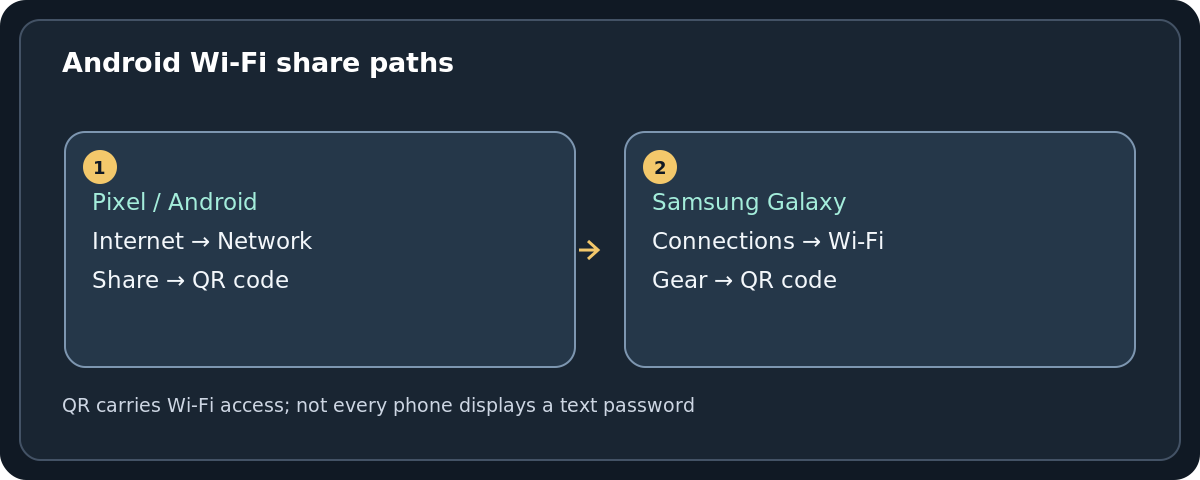
- Open Settings → Network & internet → Internet. Depending on version, tap the network name or the gear beside it.
- Choose Share. Some Pixel builds also expose Share Wi-Fi from the Internet quick-settings panel.
- Complete the device unlock prompt if it appears.
- Show the QR code to the person connecting. Have them use their phone’s camera or built-in QR scanner and confirm the correct network name before joining.
Important distinction: The QR code is a way to share Wi-Fi credentials, not a guarantee that your particular phone can display the password characters. If you must enter the actual text into a device that cannot scan a code, check whether your phone reveals it or retrieve the current key from the router administrator.
Share the network from a Samsung Galaxy phone
- Open Settings → Connections → Wi-Fi.
- Make sure you are connected to the correct network, then tap its gear (network details).
- On supported Galaxy models, tap QR code or the sharing option offered on that screen.
- Confirm your PIN or other screen-lock method if required. Show the resulting network QR code to the other device, or use a supported nearby sharing feature.
Samsung’s exact controls vary by One UI release and device. Some Galaxy phones emphasize QR code rather than a visible text password. A QR code can help a visitor connect, but do not claim it securely encrypts away access from anyone who scans or decodes it.
What about Xiaomi, Motorola, OnePlus and other Android phones?
Manufacturers can relocate or rename the control to Share network, Wi-Fi QR code or a similar label within the connected network’s details. Some builds offer the feature only while connected; others show sharing for previously saved networks. Because this is not standardized across every brand, do not follow random instructions asking you to enable developer tools or root your phone. Search your phone maker’s official support page for your exact model and Android version if the normal route does not match.
Can Android show an older saved Wi-Fi password?
Maybe. First open Settings → Network & internet → Internet, or your manufacturer’s Wi-Fi settings, and look for Saved networks. If your device permits choosing a prior network and then Share, you may be able to display a QR code or password without being in range. Google documents viewing and removing saved networks, but the ability to reveal credentials for every disconnected network is not universal. If there is no Share action, do not delete the network or assume a hidden menu exists.
When the new device cannot scan the QR code
Try a different built-in scanner, hold both screens steady and increase brightness. The receiving device must support joining a Wi-Fi network from that QR format. If it can only accept a typed password, look for a plain-text field on the sharing phone. If none exists, use the router’s authorized management interface or another previously connected device that can reveal the text. Avoid pasting sensitive Wi-Fi strings into anonymous QR-decoder websites.
Troubleshooting specific problems
The Share button is missing
Check whether the phone is actually connected to Wi-Fi rather than mobile data. Open the connected network’s details, not just the list of available networks. The feature may be disabled or replaced by the device maker or by a managed-device policy. Consult the official model instructions if needed.
My phone asks me to unlock before sharing
That is expected on many Android devices. Use your device’s legitimate unlock method. Do not turn off the lock screen simply to reveal a network code.
Someone scanned the code but still cannot connect
Make sure the shown SSID is the intended network. A saved code may contain an outdated key if the router password has been changed. Check signal strength and whether the network administrator has limited access. A QR code does not bypass WPA authentication, client restrictions or captive portal sign-in.
I found a text password but it looks wrong
Wireless keys are case-sensitive. Distinguish 1 from lowercase l and zero from O. Do not assume the printed password on the router label still applies if the household later customized it.
Privacy and permission matter
Anyone who can use the network QR code may obtain access while the credentials remain valid. QR images can be photographed, forwarded or decoded. Share with authorized guests only. A guest Wi-Fi network is often a better choice than distributing the main household network’s permanent password; you manage that setting on the router.
Frequently asked questions
Why does Android show a QR code instead of the password?
The manufacturer may have designed sharing around scanning rather than revealing plain-text credentials. Google documents a QR flow; actual on-screen text is device-dependent.
Can I read the Wi-Fi password from the QR code?
Some standards-based Wi-Fi codes contain connection details, but this guide does not recommend sending them to third-party decoding websites. If your device cannot show the text, use an authorized source such as the router’s settings.
Does this method work on every Android version?
No. Menus, authentication and saved-network sharing differ across Android versions and vendor customizations. The general steps apply to supported recent devices.
Will generating a QR code change the password?
No. It only shares an existing credential. To rotate your network password, make that change in the router or mesh system’s wireless configuration.
Sources and further reading
- Google Android Help: Connect to Wi-Fi networks on your Android device (checked 2026-10-27).
- Google Pixel Phone Help: Connect to Wi-Fi networks on your Pixel phone (checked 2026-10-27).
- Samsung Support: How to share your Wi-Fi password on a Galaxy phone (checked 2026-10-27).
- Samsung Community: Share Wi-Fi network via QR code or Quick Share (checked 2026-10-27).
Use the checklists as you go, and confirm the result before moving on to a more involved repair.