How to Create a Strong Password You Can Remember
Use a long passphrase of unrelated, privately chosen words for passwords you must memorize; generate unique passwords for everything else.
Quick answer: To make a password you can remember, build a long, unique passphrase from five to seven unrelated words chosen privately and at random. Aim for at least 16 characters, preferably much longer, and use that password for one account only. For passwords you do not need to remember, let a password manager generate a long, random password instead. Never use any example printed in a tutorial as a real credential.
The point is not to invent a complicated-looking short code. A long password with genuinely unpredictable choices is harder to guess than a familiar quotation, family name, birthday, or one word with an exclamation mark. The US cybersecurity agency CISA recommends long, random, unique credentials, including passphrases of five to seven unrelated words. NIST’s 2025 guidance sets a 15-character minimum for single-factor passwords that providers verify, but that is a rule for service operators, not a promise that every website will accept your preferred format.
Build a memorable passphrase in five steps
- Pick unrelated words using a random method. Use a reputable offline word list and an impartial source of randomness, such as dice or a trustworthy password generator’s passphrase feature. Do not choose words by describing your pets, town, job, holidays, or favorite song. Humans tend to select predictable combinations when asked to be random.
- Choose five to seven words. Keep the generated selection rather than replacing hard-to-remember words with a memorable phrase already known to other people. This is a practical CISA recommendation; security depends on the way words are selected, not simply the count.
- Check the length. Your passphrase should exceed 16 characters comfortably. If the service rejects spaces, use a supported separator or no separator, but do not reduce the number of randomly selected words just to fit a form.
- Keep it private and unique. Do not reuse a passphrase from a previous account. A password exposed at one site should never unlock your email, shopping account, or password manager.
- Practice it securely. Enter the phrase on the genuine service’s sign-in page once or twice; then store a secure recovery option. Never email yourself the phrase or paste it into a public online ‘strength tester.’
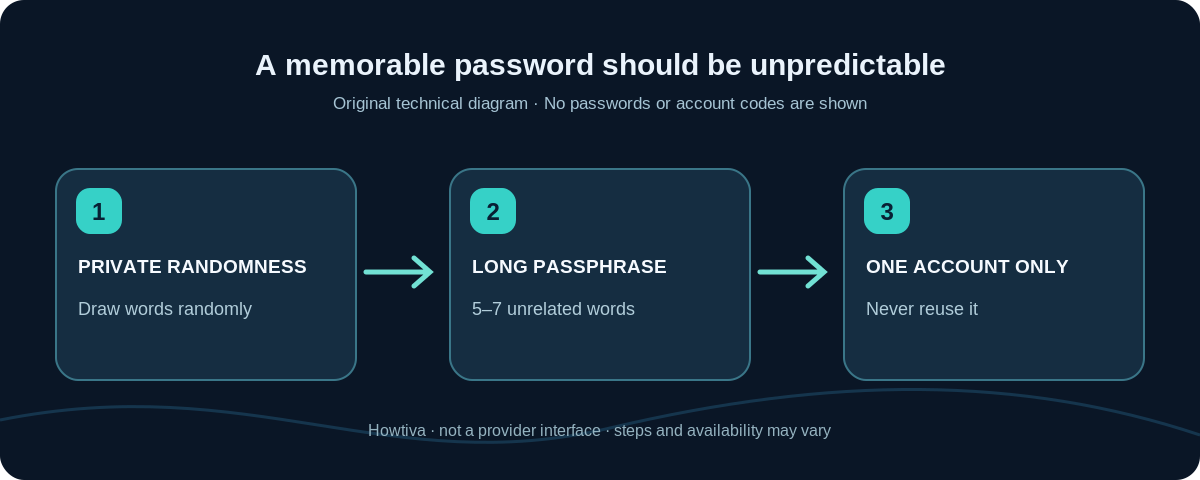
A passphrase is not automatically strong just because it contains spaces. The sequence must be unpredictable. A sentence from a movie, a famous quote, a predictable pattern of colors, or words chosen from your own biography is easier to guess than independently selected words. Keep the real phrase secret; publicly shared ‘examples’ are compromised for practical purposes.
When a password manager is the better choice
For ordinary websites and apps, do not try to memorize dozens of unique passphrases. Choose a reputable password manager, use its built-in generator, and accept long, distinct credentials for every site. You only need to remember the main unlocking secret if your chosen manager requires one. Add the manager’s supported second factor, device protections, and a recovery plan. For systems with passkeys, consider a supported passkey as an alternative to a password, not a phrase you must invent.
A password manager reduces reuse but does not eliminate every risk. Malware, a compromised device, phishing, and an unlocked vault can still expose account access. Use a screen lock, keep devices updated, and avoid typing your master password into an unexpected browser prompt.
Rules that matter more than decorative symbols
Length, randomness, and uniqueness do the heavy lifting. Adding one ! to a well-known word rarely fixes a predictable password. Likewise, a rigid pattern reused across sites—such as the same main phrase with the service’s initials attached—creates related passwords that may be guessed after one leak. NIST’s current verifier guidance explicitly argues against mandatory mixtures of uppercase, lowercase, symbols and numbers as the general solution.
Do not change a strong, uncompromised password every month just because a calendar says so. Change it promptly if the service reports a breach affecting it, you entered it on a phishing site, a device was exposed, you accidentally shared it, or another person may know it. NIST discourages arbitrary periodic change requirements absent evidence of compromise.
What if a website rejects a long passphrase?
Some services still impose character limits, forbid spaces, or demand certain symbol types. First read the displayed rules and preserve as much unpredictability as the form permits. Prefer a password manager-generated random string meeting those requirements; never assume that a website implements the newer NIST guidance. If a site asks you to shorten a good passphrase dramatically, that is a property of the site, not a reason to use its limit everywhere else.
If a mobile keyboard changes punctuation or inserts an accidental space, temporarily reveal the typed characters only in private on a trusted device, then hide them again. If you consistently mistype a long phrase, use a manager and generate a new one rather than repeatedly selecting simpler words.
Troubleshooting real-world problems
You forgot the final word or its order
Use the site’s official password reset or the recovery process arranged for your manager. Do not try dozens of variations and lock the account unnecessarily. When you regain access, create a fresh unique password; don’t resurrect a phrase that has become public to friends or support staff.
The service says ‘weak password’ even though it is long
The exact phrase may appear in a breach list, include your user name or common patterns, or trip a local password rule. Create another randomly selected phrase. Never type a candidate into an untrusted checker just to get an opinion.
You used the same password on two important accounts
Change both, beginning with your email and other high-value accounts, to two unrelated passwords. Check your password manager for reused or compromised entries. Turn on multi-factor authentication where supported and check recent account activity if there is evidence of a breach.
Someone asks you to share the phrase to verify your identity
Do not provide the password, including to a person claiming to be support. Legitimate services can validate you using their own recovery processes. Navigate to the official service yourself instead of following a link in an urgent message.
Frequently asked questions
Is a 16-character password always secure?
No. A repeated character, a familiar quotation, or reused credential can be weak even if long. The character count is a starting point, not a certification. Randomness and uniqueness matter too.
Should I include special characters in a passphrase?
Only if the site requires them or they are part of your reliably remembered construction. Extra symbols do not rescue predictable words. Never rely on a consistent substitution like replacing every a with @.
Should I remember my password manager’s main password?
If your manager uses a main or master password, memorize a long unique passphrase for it and follow the manager’s documented recovery or emergency-access setup. Some integrated managers use device and account authentication rather than a separate vault-wide master password.
Can I use a password example from this guide?
No. Examples are public and therefore should never become an actual password. Generate your own words privately.
Sources and further reading
- NIST SP 800-63B, 2025 revision (Password Authenticators and Verifiers) (checked 2026-10-27).
- CISA: Four Cybersecurity Essentials (checked 2026-10-27).
- Google Chrome Help: Manage passwords in Chrome (checked 2026-10-27).
Use the checklists as you go, and confirm the result before moving on to a more involved repair.